Understanding Google Wifi Firmware Update for Router
As a Google Wifi user, it's essential to stay up-to-date with the latest firmware updates for your router to ensure optimal performance, security, and access to the newest features. Regular firmware updates can fix bugs, improve Wi-Fi network reliability, and enhance your overall smart home experience. In this article, we'll guide you through the process of checking and updating your Google Wifi firmware.
Why Update Google Wifi Firmware
Here are a few compelling reasons to update your Google Wifi firmware:
- Improved Performance: Firmware updates can optimize your router's performance, reducing lag and improving overall connectivity.
- Enhanced Security: Regular updates ensure your router stays secure, protecting your network from potential vulnerabilities and threats.
- Access to New Features: Firmware updates often introduce new features, such as enhanced Wi-Fi capabilities, voice control, and improved smart home integration.
Checking the Current Firmware Version
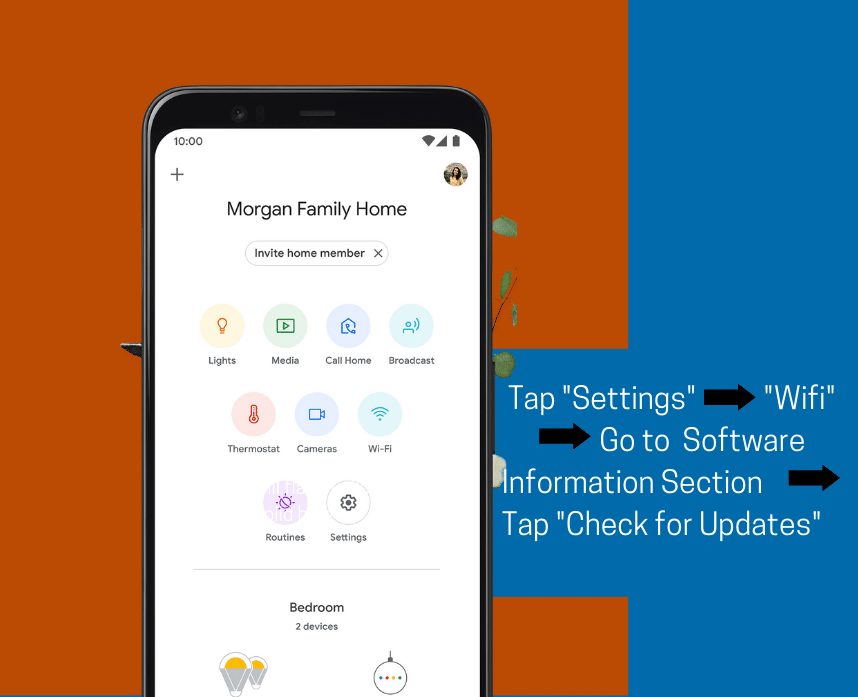
To check the current firmware version of your Google Wifi router, follow these steps:
- Open the Google Home app and select your Google Wifi device.
- Navigate to Device Settings > About > Software Update.
- Check if an update is available, and follow the on-screen instructions to install it.
Updating Google Wifi Firmware
Here's a step-by-step guide to updating your Google Wifi firmware: